How to Use This Guide
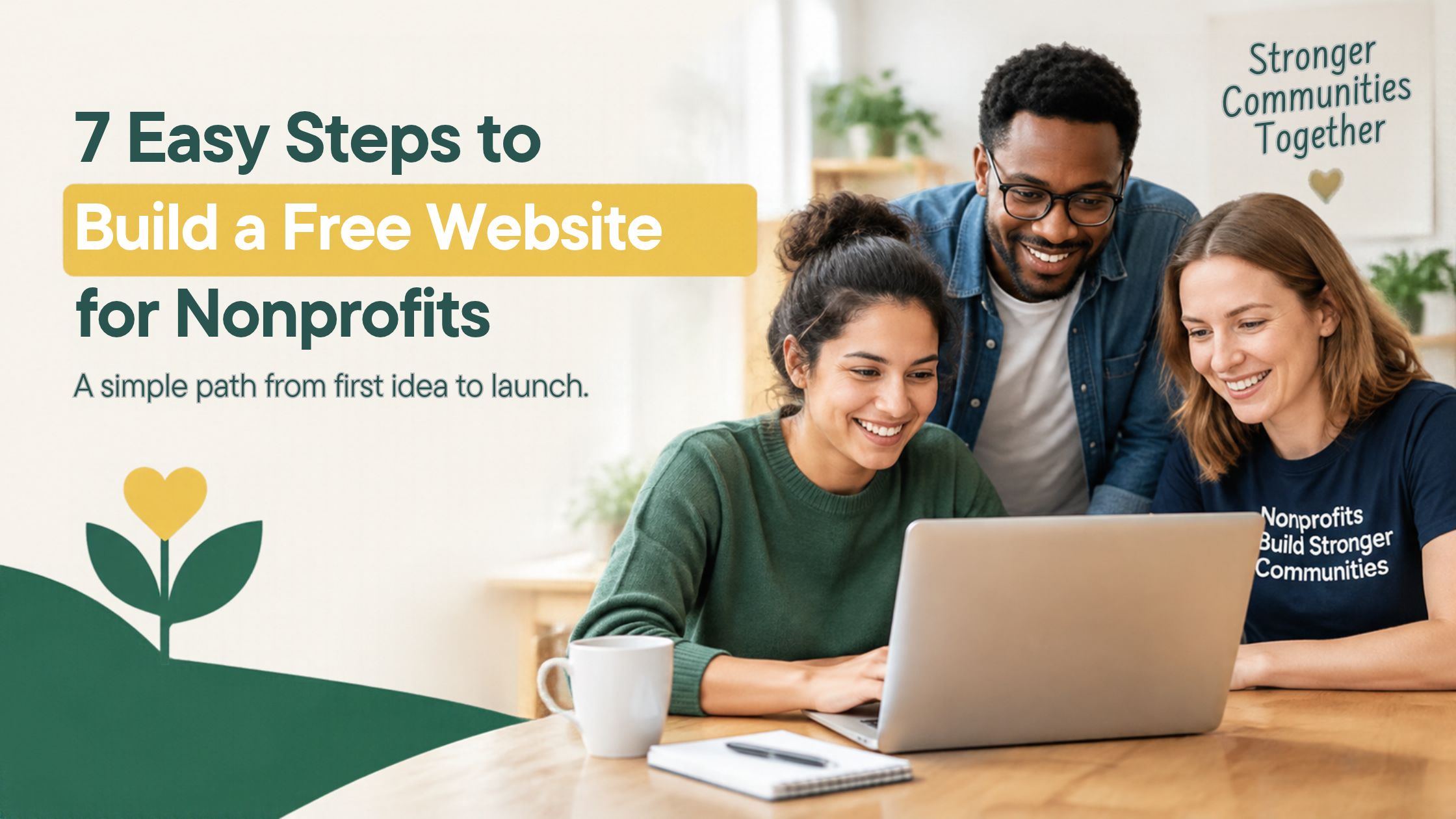
This guide shows you how to build a free website for nonprofits, one step at a time. You do not need to code. You do not need a big budget. You only need a few hours, a laptop or phone, and a clear idea of what your group does.
Who this guide is for. Small and under-resourced nonprofits, social enterprises and individual social influencers. It suits you if your group wants a free website for nonprofits but has no site, a weak one, or only a Facebook page.
When to use it. Use it before you pick a platform, buy a domain or ask a developer for a quote. Use it again before you launch, to check nothing is missing.
How to use it. Read the quick answer first. Then work through the seven steps in order. Each step starts with what you will learn and ends with a short recap. The launch checklist at the end pulls everything together. Keep this page open while you work.
Quick Answer: What Is a Free Website for Nonprofits?
A free website for nonprofits is a site you build on a free platform, with no hosting bill. Your only likely cost is a domain name, which is about $15 to $20 a year. Building a free website for nonprofits takes seven steps. First, set your goals and pick a platform. Next, choose a name and build your core pages. Then add a donate button, make the site safe and fast, and launch.
Why Does Your Nonprofit Need a Free Website?
What you will learn: why a website matters more than a social media page, and what a free website for nonprofits can and cannot do.
Donors, funders and partners look you up before they reply to you. They search your name. They want to know you are real, active and trusted. A website answers those questions in seconds.
A social media page cannot do this alone. You do not own it. The platform can change its rules, hide your posts or close your account. A free website for nonprofits gives you a home that you control. Everything else, such as your Facebook page, your YouTube channel and your WhatsApp group, can point back to it.
A website also works while you sleep. A donor in another country can read your story at midnight. A funder can check your mission before a call. A volunteer can find your contact details without asking around.
Real groups prove this works. First Web Foundation has built sites for many small groups. Chance for Change is a grassroots group that gives people a fresh start. Its site was built from scratch, secured and tuned for search, so more people can find the support on offer. The Child Rights Information and Documentation Centre (CRIDOC) has a secure site that is simple to use. Researchers and families can find it with ease. Nyota Unlimited, named after the Swahili word for “star”, has a search-ready site that shows its goals clearly. All three joined our free and subsidised programme.
Recap. A website is your home online. You own it, you control it, and it builds trust while you sleep. A free website for nonprofits is a good start for any small group.
Step 1: Plan Your Free Website for Nonprofits
What you will learn: how to plan a free website for nonprofits with one clear goal, a visitor list and a page list.
Start with a pen and paper, not a platform. A free website for nonprofits still needs a plan. Most weak sites fail because the owner never decided what the site is for.
Ask yourself three questions. Who do I want to reach? What do I want them to do? What would make them trust us? Your answers shape every choice that follows.
Pick one main goal. For many small groups it is “get more donations”. For others it is “recruit volunteers” or “show funders our impact”. You can add more goals later. One goal keeps your first site simple and finished.
Then think about your visitors. A donor wants proof that their money works. A funder wants facts and a clear plan. A volunteer wants to know how to join. A person in need wants help, fast. Write one line about each group that matters to you.
Last, list your pages. Most nonprofit sites need seven core pages: home, about, programmes, donate, get involved, news and contact. You can build them all in an afternoon if you plan first.
Recap. Plan your free website for nonprofits on paper first. Choose one goal, know your visitors and list your seven pages.
Step 2: Choose Where to Build Your Free Website for Nonprofits
What you will learn: the main ways to get a free website for nonprofits, what each costs, and how to pick the right one.
There is no single best free nonprofit website builder. The right pick depends on your skills, your time and your plans for growth. The table below compares the main routes.
| Option | Cost | Best for | Watch out for |
|---|---|---|---|
| WordPress.com free plan | Free; paid plans start at about $4 a month on annual billing | Groups that may grow later | Free plan limits; WordPress.com and WordPress.org are different things |
| Wix free plan | Free; discounts for nonprofits on paid plans | Easy drag-and-drop design | Ads on the free plan; you cannot move the site easily |
| SITE123 free plan | Free basic plan | Very small sites built fast | Fewer design choices |
| Google Sites | Free with a Google account | Simple pages and quick launches | Basic features; no built-in donation tools |
| WordPress.org with low-cost hosting | Software is free; hosting and domain cost extra | Groups that want full control | You must manage updates and security |
| First Web Foundation programme | $60 one-time admin fee | Small groups that want a done-for-you site | Limited places; you must apply |
Prices change often. Check each provider’s page before you decide.
Here is how to read the table. The fastest way to a free website for nonprofits is a free plan from a builder such as Wix or SITE123. These plans often include hosting, but they can show ads, limit your design and leave out donation tools. A paid upgrade fixes most of this, and some builders give nonprofits a discount. For example, Wix has offered a 70% discount on a premium plan through its TechSoup partnership. Check that your country is covered first.
WordPress.org is different. The software is free, but you need a host and a domain. That makes it the more flexible and powerful choice, yet it is not truly free. Some hosts give free hosting to nonprofits, but many such offers, such as DreamHost’s, are for US-registered charities only.
If you want a done-for-you option, First Web Foundation gives small and under-resourced groups free web design, a subsidised domain, hosting, search work and training. A one-time $60 admin fee covers setup. We explain exactly what that fee buys in our nonprofit website admin fee guide.
So which should you pick? Choose a builder if you want to launch this week and have no tech help. Choose WordPress.org if you plan to grow, want to own your site fully, or can get a little help. Whichever you pick, you can build a free website for nonprofits without writing a line of code.
Recap. A free website for nonprofits can start on a builder or on WordPress.org. Builders are fast but have limits. WordPress.org is flexible but needs hosting.
Step 3: Pick a Name and Domain for Your Free Website for Nonprofits
What you will learn: how to choose a domain for your free website for nonprofits, and what it really costs.
Your domain name is your web address, such as yourgroup.org. It is the one part of a free website for nonprofits that usually costs money. Most domains cost about $15 to $20 a year once you count renewals.
Keep your name short. Keep it easy to say out loud and easy to spell. Skip hyphens and numbers, because people forget them. If you can, use your group’s name or a short form of it.
Which ending should you pick? Most groups choose .org. Anyone can register a .org, so it does not prove you are a nonprofit, but people trust it. There is also .ngo, which only a verified non-governmental organisation can register. The Public Interest Registry runs it. One registrar lists a first-year price of about $16.72, though prices vary by seller. A .ngo address signals that your group is real. That can help when people are deciding whether to give.
Many free builders give you a free address, such as yourgroup.wixsite.com. That works for a test. For a real launch, buy your own domain. A custom address looks more serious, and you keep it even if you change platforms later.
Register the domain in your group’s name, not in a volunteer’s personal name. Use a shared email address for the account. Groups can lose their web address when the person who bought it leaves. Write the login details down and store them somewhere safe.
Recap. The domain is the one cost of a free website for nonprofits. Keep it short, choose .org or .ngo, and register it in the group’s name.
Step 4: Build the Core Pages of Your Free Nonprofit Website
What you will learn: what each of the seven pages needs on your free website for nonprofits, and how to write them in plain words.
You planned your pages in Step 1. Now build them on your free website for nonprofits. Keep every page short, clear and easy to scan on a phone.
Home. Your home page is a signpost. In one line, say who you help and how. Add one strong photo, a short summary of your work and a clear button. Visitors decide fast whether to stay.
About. After the home page, this is often the most visited page. Tell your story. Say why you started, who runs the group and what you have achieved. Add real names and photos of your team. Add your registration details and, if you can, a short note on how you spend money. People give to groups they trust.
Programmes or impact. Show what you do and what changes because of it. Use numbers where you have them, such as children enrolled or wells dug. Add a short story with a real photo. Facts show that the work is real.
Donate. Keep this page simple. Say what a gift will do. Give two or three amounts as examples. Make the form short. Step 5 covers this in full.
Get involved. Not everyone can give money. Tell people how else they can help. They can volunteer, share your posts, join your mailing list or bring skills.
News or blog. Share updates, events and stories. Even one post a month shows that your group is alive. It also helps people find you on Google.
Contact. List an email address, a phone number or WhatsApp line, and your location. Add a short form too. Make sure someone answers within a few days.
Write the way you speak. Use short sentences and everyday words. Skip jargon and long mission statements. Read each page aloud. If you stumble, rewrite the line.
Add a photo to every page where you can. Use your own pictures of real people and real work. Always ask permission before you share a person’s image, and take extra care with children.
Recap. Build seven pages for your free website for nonprofits. Keep each one short and plain, with real stories, names and photos.
Step 5: Add a Donate Button to Your Nonprofit Website
What you will learn: where to place a donate button on your free website for nonprofits, and how to take gifts without a custom payment system.
A donate button turns a visitor to your free website for nonprofits into a supporter. Put it where people can always see it. The top right of your menu is the best spot. Add it to your footer too, so it appears on every page.
Make the button stand out. Use one bright colour that you use for nothing else. Label it “Donate” or “Give now”. Clear labels work better than clever ones.
You do not need to build a payment system. Use a donation tool that gives you a form to embed or a link to share. Donorbox, Zeffy and Givebutter are well-known options. We compare several in our guide to the best online donation platforms for charities. Check which tools work in your country and which payment methods they support. Many of your donors may prefer to pay by mobile money or bank transfer, so list those options on the page too.
Keep the donation page short. Say what a gift will do in one or two lines. Show a few set amounts, plus a box for any amount. Add a clear thank-you message after the gift. Send a receipt by email.
Test everything yourself. Make a small gift. Try it on a phone. Ask a friend to try it on theirs. A broken button costs you every gift that tries to use it.
Recap. Your free website for nonprofits needs a donate button on every page. Use a trusted donation tool, keep the form short, and test it on a phone.
Step 6: Keep Your Free Website for Nonprofits Safe, Fast and Easy to Find
What you will learn: the basic checks that keep a free website for nonprofits safe, fast and easy to use.
A live free website for nonprofits needs a few basic checks. They take little time. They protect you and your visitors.
Safety. Make sure your site shows a padlock in the browser bar. That means it uses HTTPS. Most good builders and hosts switch it on for free. Use strong, different passwords for your site, your domain and your email. Turn on two-step login wherever you can. Keep a backup of your pages and photos. Our guide to a free VPN for charities covers more ways to protect your team online.
Speed. Many of your visitors use phones on slow or costly data. One report found that data costs in some African countries reach 8% of monthly income. So keep pages light. Shrink your photos before you upload them. Avoid large videos on your home page. Link to your YouTube channel instead.
Search. People should find you on Google. Give each page a clear title with the words people search for. Write a short description for each page. Add a short description, called alt text, to every image. Add your group to Google Business Profile if you have a local office. Our guide on how to apply for Google for Nonprofits shows how to claim free Google tools.
Ease of use. Make your site work for everyone, including people who have a disability. Use large, clear text. Pick strong colour contrast. Describe each image in words. Check that the site works well on a small phone screen. Most of your visitors will arrive on one.
Recap. Keep your free website for nonprofits safe with HTTPS and strong passwords. Keep pages light, add clear titles and alt text, and test on a phone.
Step 7: Launch and Share Your Free Website for Nonprofits
What you will learn: how to check your free website for nonprofits before launch, spread the word and keep it fresh.
Before you go live, check your free website for nonprofits one last time. Read every page for spelling mistakes. Click every link and button. Open the site on two phones and one computer. Ask someone who has never seen it to find your contact details in under a minute.
Then tell people. Put the link in your email signature, your social media profiles and your printed material. Post it in your WhatsApp groups. Ask partners and funders to link to you. Each link helps people trust you and helps Google find you. Our guide to social media for African charities has ideas for sharing.
After launch, keep it fresh. Set a monthly reminder to post one update. Check your donate button once a month. Update your team page when people join or leave. Look at your visitor numbers, and see which pages people read most. An old site with last year’s events makes visitors doubt that the group is active.
If you get stuck, ask for help. First Web Foundation supports small groups with free websites, a subsidised domain, hosting, search work and training through First Web Academy. You can read how to apply on our non-cash grants page, or see more of our work in our portfolio.
Recap. Test your free website for nonprofits before launch. Share the link everywhere, post a monthly update and check the site often.
Common Mistakes to Avoid on a Free Website for Nonprofits
Most problems on a free website for nonprofits are easy to avoid. Here are the ones we see most often.
- Trying to build everything at once, so the site never launches.
- Skipping the donate page, or hiding it in a menu.
- Using the free web address from the builder instead of your own domain.
- Registering the domain in one person’s name.
- Using huge photos that load slowly on a phone.
- Leaving out contact details.
- Forgetting to update the site after launch.
Your Launch Checklist
Use this list before your free website for nonprofits goes live.
- You have one clear goal for the site.
- You have picked a platform that fits your skills.
- Your domain is registered in the group’s name.
- All seven core pages are written and read aloud.
- Your donate button works on a phone.
- HTTPS is on, and passwords are strong.
- Photos are small, and each has a short description.
- Someone outside the team has tested the site.
- You have shared the link in your email, social media and WhatsApp groups.
- You have set a monthly reminder to post an update.
Frequently Asked Questions About a Free Website for Nonprofits
Can a nonprofit really get a free website?
Yes. Several builders offer a free website for nonprofits, and some groups get free hosting or design help. The only cost you can rarely avoid is a domain name, which is about $15 to $20 a year. Free plans may carry ads or limits, so check the terms before you commit.
What is the best free website builder for a nonprofit?
It depends on your needs. Wix and SITE123 are quick for beginners. WordPress is more flexible and grows with you, but it needs hosting. Pick the one you can finish and keep up to date.
How much does a nonprofit website cost?
A free website for nonprofits costs nothing to host on a builder. A custom domain adds about $15 to $20 a year. Paid plans, premium themes and extra tools cost more. Many groups spend very little at the start and add tools as they grow.
Do I need a .org or .ngo domain?
No, but both build trust. Anyone can register a .org. A .ngo is only for verified non-governmental organisations, so it shows that your group is real.
How long does it take to build a nonprofit website?
A free website for nonprofits takes a few hours to a few days for a simple site. Most of the time goes on writing your pages and gathering photos, not on the tools.
Can First Web Foundation build a website for my nonprofit?
Yes, if you qualify. We give small, under-resourced groups free web design, a subsidised domain, hosting, search work and training. A one-time $60 admin fee covers setup. We ask that your group has made a real difference in its community or shows strong potential to do so.
Recommended Resources
- A Guide to Creating a Free Website for Your Nonprofit, from Candid.
- Nonprofit Website Builders Compared, from Givebutter.
- How to Build a Nonprofit Website, from Wild Apricot.
- 26 Donation Page Best Practices for Nonprofits, from Donorbox.
- .NGO Domain Information, including the validation rules.
- Digital Inclusion in Africa: Mapping the Ecosystem Gap, news coverage of the data cost findings.
- The Nonprofit Website Admin Fee, from First Web Foundation.
- Our Portfolio, real sites built for small groups.
Help Us Keep Building Free Websites
Every small gift helps us give another nonprofit a home online. If this guide helped you, please support our work.
- Make a small donation on our official donation page.
- Subscribe to our YouTube channel for free digital training.
- Follow our Facebook page for updates.
- Follow us on LinkedIn to join our network.